Built-in Drakdoo alert
SSL Channel alert
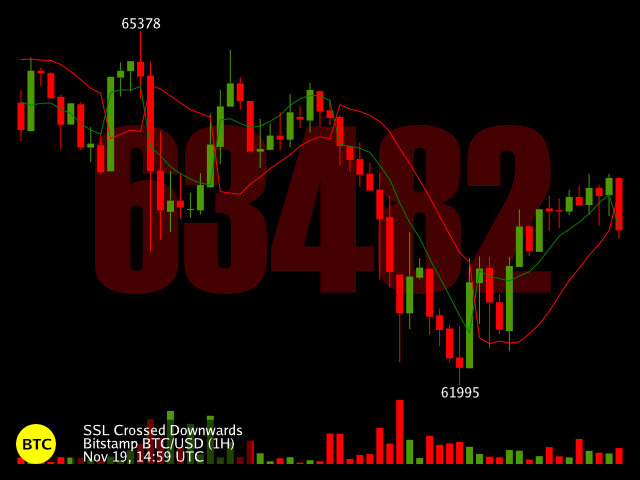
The SSL Channel plots a channel based on 2 moving averages using the high and low of each candle respectively. By using the high and of the candles as a base you get a channel indicating the current trend and a signal when the trend changes.
Educational setup, not financial advice.
Understand the signal
What this setup means
The SSL Channel plots a channel based on 2 moving averages using the high and low of each candle respectively. By using the high and of the candles as a base you get a channel indicating the current trend and a signal when the trend changes.
Drakdoo evaluates SSL Channel when each selected timeframe updates and sends an alert for the signals you enable. Use the notification as a prompt to inspect the chart and your wider trading context.
Copy these valuesCreate this alert in Drakdoo
Exact Drakdoo configuration
MarketBTC / USD
Timeframe4 hours
AlertSSL Channel
Period10
Enabled signals
SSL crossed upwards
SSL crossed downwards
Keep exploring
Browse the full library